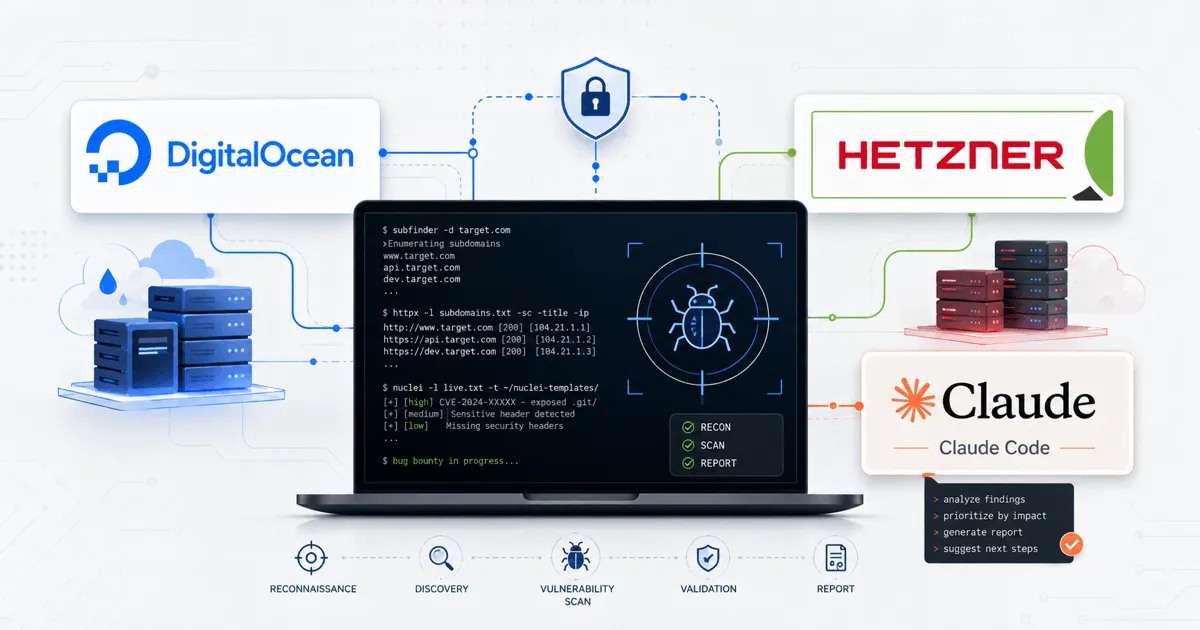
So you’re getting serious about bug bounty — then it’s time to get a serious setup. This means:
- A VPS running 24/7, ready to kick off ad hoc or scheduled automation at a moment’s notice
- Recon via fleet distribution
- Claude Code configured
- Modern tooling
- SSH configured with
tmuxso you can pick up where you left off
Who this setup is for (and what it is not)
This post shares how I’ve set up my environment and what’s worked for me — and what might work for you too. This is NOT the key to finding every vulnerability by launching a few nuclei/AI scans that magically surface all the criticals at once.
You don’t need to invest money to find bugs, but if you’re serious about earning bounties, investing in your environment will absolutely pay for itself.
VPS - cloud computing
The easiest place to start is picking your cloud provider.
Before we dive into the logistics of cloud providers, let’s first talk about why.
Pros
- IP protection - you do not want your home IP to get blacklisted, trust me
- Remote work - bug bounty hunting is about obsession; even on vacation, the itch to work might show up, and you want to be able to pick up where you left off at any time
- Fleet-provisioned work - instead of running recon with 1 computer, why not spin up a fleet of 20
- SSRF/OOB attacks
- Speed (download/upload)
Cons
- Resource cost
- Limited RAM/storage
- MCP integration with Burp Suite or local tools - still possible
There are many more, but the pros absolutely outweigh the cons, and I’d consider this a necessity for serious hunters.
Which provider?
Okay, I’ve sold you on getting a VPS — now which provider should you go with? Options:
- DigitalOcean
- Hetzner
- AWS
- Linode
- Etc.
We’re going to focus on two primary hosts: DigitalOcean and Hetzner. I originally used DO, but I’ve since switched to Hetzner — it’s a no-brainer. Hetzner gives you a lot more for less.
Let’s first think about what you need from your provider. For a main controller box, I’d start with at least 4 GB of RAM and 80 GB of disk. That gives you enough room for toolchains, wordlists, logs, scan output, and a few long-running tmux sessions without constantly fighting the machine.
| Provider / plan | Monthly price | CPU type | vCPU | RAM | Disk | Included transfer |
|---|---|---|---|---|---|---|
| DigitalOcean Basic Regular | $24.00 | Shared | 2 | 4 GB | 80 GB | 4 TB |
| Hetzner US CCX13 | $19.99 | Dedicated | 2 | 8 GB | 80 GB | 1-8 TB depending on location/tier |
| Hetzner EU CCX13 | $18.49 | Dedicated | 2 | 8 GB | 80 GB | 20 TB |
| Hetzner US CPX31 | $24.99 | Shared | 4 | 8 GB | 160 GB | Varies by US tier |
That’s right — for less than DigitalOcean, you get twice the RAM and dedicated CPUs. I recommend a CCX13 for your base server/controller.
Quality of life
I won’t walk you through configuring your VPS, but I highly recommend creating an SSH alias on your host machine so you can quickly connect to it. Just make sure you add your SSH public key to authorized_keys first:
cat ~/.ssh/config
Host droplet
        HostName <VPS IP>
        User <username please don't use root>
        IdentityFile ~/.ssh/droplet_key
        IdentitiesOnly yes
        # LocalForward 1234 127.0.0.1:1234 -- If you want to portforward for a service you have running on the VPS uncomment these fields.
        # ExitOnForwardFailure yes
        # ControlMaster auto
        # ControlPath ~/.ssh/cm-%r@%h:%p
        # ControlPersist 10m
Fleet provisioning: why Axiom (or any fleet tool) matters
Options:
- Ax Framework (Cloud providers)
- Osmedeus (Cloud providers)
- Fleex
- ShadowClone (AWS Lambdas)
Great, now that your VPS controller is set up, next you’ll want to figure out which fleet provisioning tool to use. I use Ax Framework, which lets you spin up cloud resources to rapidly complete recon or scans. Ax Framework is quite easy to set up - just follow the installation instructions and use the easy install option on the VPS. I’ll put together a separate writeup on the recon pipeline I use.
Workflow: using Claude Code responsibly for ops tasks
Next, you’ll want to set up Claude Code. AI gets a bad rap, but from a vulnerability-hunting perspective, it’s an absolute game changer. I’ll have a blog post dedicated to how to use AI optimally for bug bounty hunting and vulnerability research in general - stay tuned. For now, get Claude Code installed and lean on it for help with any questions you run into while setting up and configuring your VPS.
Tmux - shell persistence

I’m not going to get into the weeds of what tmux is (here’s a cheatsheet) - instead, I’ll focus on why it matters to you. Tmux gives you a persistent shell, which means that even if your internet drops, you won’t lose your progress or where your VPS shell was - which is huge. Here’s the tmux configuration I use:
#.tmux-conf
setw -g mouse on
set -sg escape-time 500
set -g terminal-overrides ',*:smcup@:rmcup@'
Then run tmux to get a shell.
Now, whenever you reconnect to your VPS, simply use tmux -a to continue where you left off.
Here are some basic tmux hotkeys you will need to know:
All commands start with ctrl+b
c # Create new tab
n # Next tab
p # Previous tab
d # detach -- this does not end the tmux session it just detaches tmux -a reattaches
, # Rename current window
Bringing it together
So now you have a VPS server set up that you can quickly connect to with ssh droplet, and a persistent shell with tmux. You have Ax Framework and Claude Code set up and configured.
I’ll be releasing a blog post on next steps, going over my current recon pipeline and tools I use often.